

Image Resolution, Size and Compression
What does it really mean?
Ok, so your "5 mega-pixel" digital camera can capture at different "resolutions" like 1024 x 768, 800 x 600, 640 x 480, or 320 x 240 and also with varying levels of "compression". But what does this mean? What is "compression" and how big a print can you make?
Well, we hope to answer these questions and more for you as we demystify this subject.
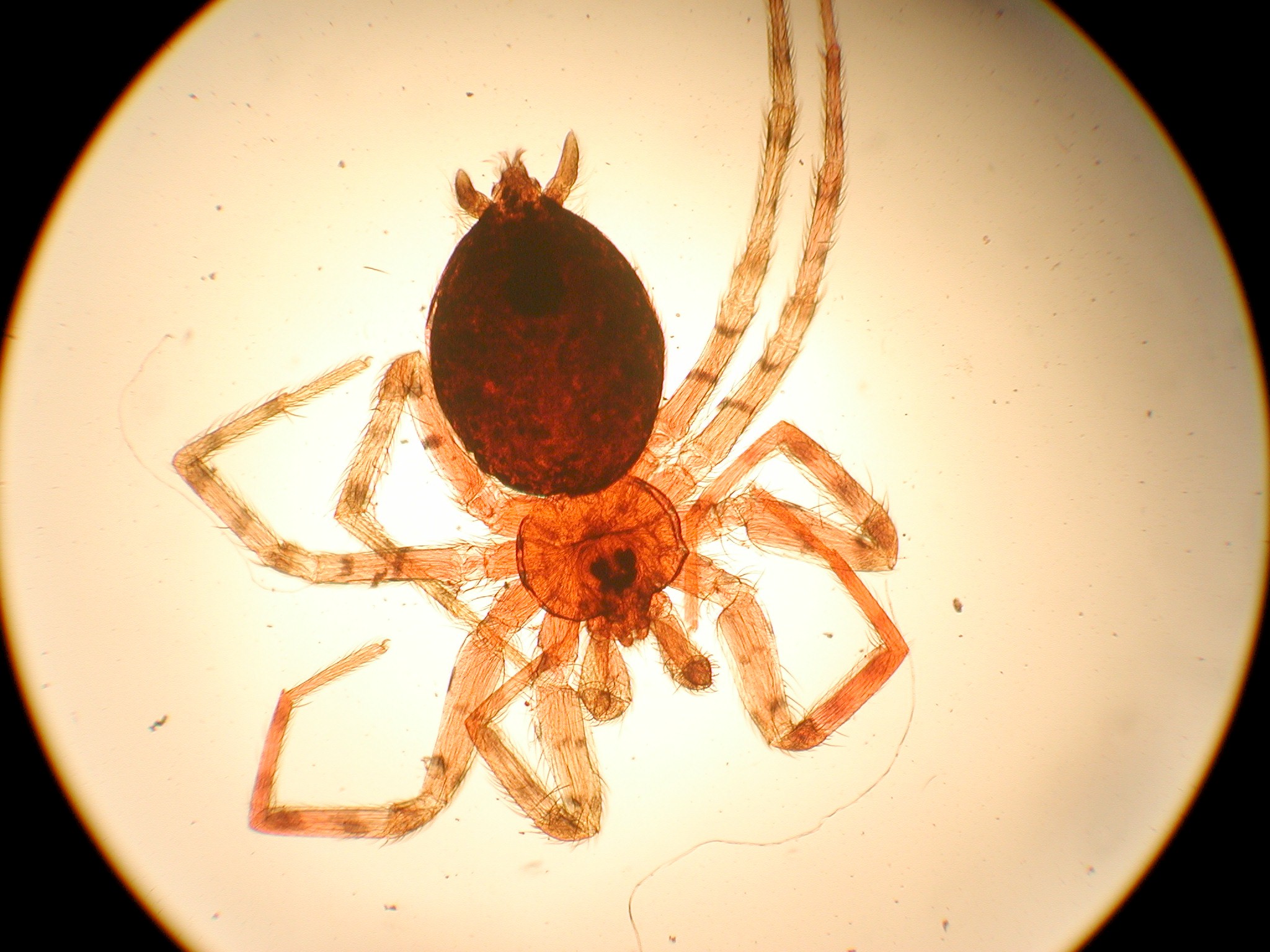
Sightly compressed spider image

Overly compressed spider image
What does image resolution mean?
Resolution refers to the number of pixels in an image. Resolution is sometimes identified by the width and height of the image as well as the total number of pixels in the image. For example, an image that is 2048 pixels wide and 1536 pixels high (2048 x 1536) contains (multiply) 3,145,728 pixels (or 3.1 Megapixels). You could call it a 2048 x 1536 or a 3.1 Megapixel image. As the megapixels in the pickup device in your camera increase so does the possible maximum size image you can produce. This means that a 5 megapixel camera is capable of capturing a larger image than a 3 megapixel camera.
How does image resolution play out on my computer monitor?
The computer screen you are looking at right now is set at a particular resolution as well. The larger the screen, the larger you likely have your screen resolution set. If you have a 17" monitor, likely you have it set at 800 x 600 pixels. If you have a 19" screen it is likely set at 1024 x 768. You can change the settings but these are optimum for those screen sizes.
Now, if your monitor is set to 800 x 600 and you open up an image that is 640 x 480, it will only fill up a part of your screen. If you open up an image that is 2048 x 1536 (3.1 megapixels) then you will find yourself moving the slider bar around to see all the different parts of the image. It just won't fit. To see the spider above at this resolution, click one the spider image above. Add to that the fact that the computer monitor has a finite number of pixels per inch available (like 72) so if you are going to display your image on a monitor only, you would want to drop the quality down to 72 to save file space. If you are going to put your image on a webpage or email it to a friend then you will want to first make it a useful size. Not too big, not too small. Maybe 200-300 pixels high would be a nice size. You can also reduce the size of the file (not necessarily the size of the image) so it loads faster. You reduce the file size by compressing the image (see the next question).
What does image quality mean?
In addition to image size, the quality of the image can also be manipulated. Here we use the word "compression." An uncompressed image is saved in a file format that doesn't compress the pixels in the image at all. Formats such as BMP or TIF files do not compress the image. If you want to reduce the "file size" (number of megabytes required to save the image), you can choose to store your image as a JPG file and choose the amount of compression you want before saving the image.
JPG compression analyzes images in blocks of 8X8 pixels in size and selectively reduces the detail within each block. At higher compression rations, the block pattern becomes more visible and there may be noticeable loss of detail, especially when you attempt to make prints larger than recommended. The subject and pattern in the image is also a factor. For example, a picture of the blue sky can be compressed quite a bit without any noticeable effects but a picture of a colorful bird would "pixelate" quite quickly. Take another look at the two images at the top. The first is somewhat compressed, about 200 pixels high (size) and the file is only 14Kb. The image on the right is the same size but compressed quite a bit more reducing the file size to 4Kb.
By using JPG compression, you can keep the physical size of the image the same and reduce the amount of disk space required to store it but you will be sacrificing the quality of the image.
Ok, so I have an image that is 640 x 480. How big a print can I make?
Well, the true answer is you can make as big a print as you want but very quickly you will start to see "blocks" (pixelization) and the quality will drop off. To maximize the capability of your printer, you should print a picture a size that the printer can handle. Here we introduce a new term "dots per inch" (dpi) or "pixels per inch" (ppi). Example, you have a 640 x 480 image and you want to print it at 200 dpi. 640 divided by 200 equals 3.2 and 480 divided by 200 equals 2.4 so if you print this picture at 3.2" x 2.4" you will get a print with 200 dots per inch. We recommend 200 dpi as a minimum for good quality prints.
Now, let's work one of these problems backwards. Let's say we want to print an 8 X 10" picture at 300 dpi. What resolution must we have to do this? (Stop here and figure it out, or read on...) OK, 300 times 8 is 2400 and 300 times 10 is 3,000. So we would need a 3,000 x 2,400 image to do this. Let's see, 3,000 x 2,400 is 7.2 megapixels! That could be a large file size.
Do you have any rules of thumb for print size versus resolution?
Yes. First try to determine what your use for the image will be. Will you want an 8 x 10" print or will you only be emailing it to a friend? Choose the image size and amount of compression to meet these needs and capture at the least possible compression. The trade off is large file sizes and you will fill up your media quicker but, later on you can dump the original uncompressed image to a flash drive or hard drive, compress the original and resave it with a different file name. You cannot expand a previously compressed file so keep the uncompressed (or low compressed) file as a master. To determine what resolution you will need for particular print sizes, see the chart below.
| Megapixels | Image Resolution | Maximum Print Size |
| 0.3 Megapixel | 640 x 480 | 1.6" x 2.3" at 300 dpi |
| 1.3 Megapixel | 1392 x 1024 | 3.2" x 4.3" at 300 dpi |
| 2.0 Megapixel | 1600 x 1200 | 4" x 5.3" at 300 dpi |
| 3.3 Megapixel | 2080 x 1542 | 5.1" x 6.8" at 300 dpi |
| 5.0 Megapixel | 2580 x 1944 | 6.4" x 8.5" at 300 dpi |
| 6.0 Megapixel | 2816 x 2112 | 9.4" x 7" at 300 dpi |
| 8.0 Megapixel | 3264 x 2448 | 8" x 11" at 300 dpi |
| 12.5 Megapixel | 4080 x 3072 | 10.24" x 13.6" at 300 dpi |
| 32 Megapixel | 6464 x 4864 | 16" x 21.5" at 300 dpi |